Choose Minecraft server hosting: home, host, VPS or dedicated
13 September 2026 · updated on 14 October 2026 · 2 min read
"How much RAM?" is the first question people ask, and rarely the right one. A Minecraft server runs each world on a single core: it's that core's speed that decides whether your players feel lag.
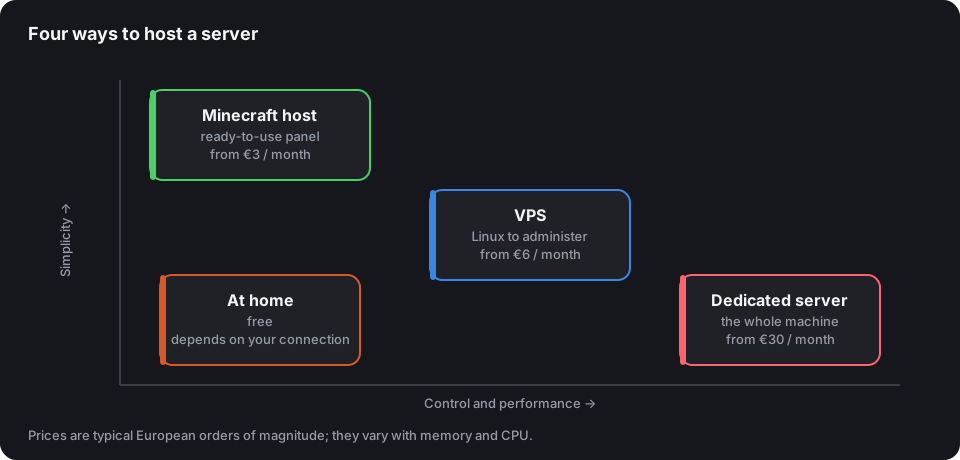
The four options
| Price | For whom | Watch out for | |
|---|---|---|---|
| At home | free | friends, tests | upload speed, PC left on, ports to open or a Playit.gg tunnel |
| Minecraft host | €3 to €20 / month | a first community | the CPU advertised, FTP access, backups included |
| VPS | €6 to €30 / month | comfortable with Linux | shared "vCPU" cores, often slower |
| Dedicated | €30 / month and up | established network | everything is up to you, but the whole machine is yours |
At home without opening a port: Playit.gg
Hosting at home often runs into the router: ports impossible to open, shared IP (CGNAT), mobile connection. Playit.gg solves this for free: an agent installed on your PC creates a tunnel, and your players connect to a public address provided by Playit instead of your IP. No forwarding, and your personal address stays hidden. The step-by-step details are in the guide Open your router's ports, and the other free solutions in Host a Minecraft server for free.
The tunnel changes nothing else: the server only runs while your PC is on, and it's still your upload speed and your CPU carrying the players.
What matters, in order
- CPU clock speed. Look for the exact generation and frequency (a recent Ryzen above 4 GHz). "4 vCPU" without a precise model often hides an old shared processor.
- The disk. NVMe: loading chunks is constant disk reading.
- Memory. Enough, but no more: 4 to 6 GB for a Paper server with 20 to 50 players, 8 to 12 GB for a modpack. The resources and budget calculator gives the memory, disk and price range for your number of players.
- Location. A data centre close to your community: latency is felt in PvP.
- DDoS protection. A growing server ends up facing attacks; check that it covers Minecraft traffic and not just the web.
Warning signs
- An "unlimited RAM" offer: what will be missing is the CPU.
- No access to files (FTP/SFTP): impossible to install your plugins or get your world back.
- No automatic backups, or no way to download them.
- A yearly commitment before you've been able to test.
Our advice
Start with a Minecraft host, paying monthly: you validate your concept without administering a system. Move to a VPS or a dedicated server when you go past a hundred players, or when you build a network with Velocity. In any case, list your server as soon as it's stable: its uptime, measured every two minutes, will quickly tell you whether your host keeps its promises.