Understanding server.properties: every setting explained
23 September 2026 · updated on 07 October 2026 · 3 min read
server.properties is the first file you open and the last one you really understand. It sits at the server's root, is created on first start, and is read at startup only: edit it with the server stopped, otherwise it'll be rewritten over your changes.
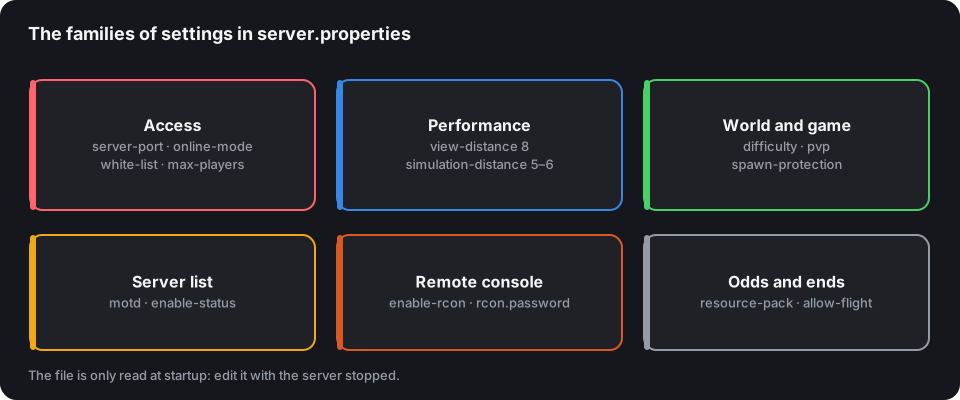
The server.properties generator writes the full file from a few questions, and flags dangerous combinations. Here's what the settings that matter do.
Connection and access
| Setting | Default | For a public server |
|---|---|---|
server-port |
25565 | 25565, unless the host imposes another |
server-ip |
empty | empty: the server listens on every address |
online-mode |
true | true: only authenticated Minecraft accounts get in |
max-players |
20 | what the machine can really hold |
white-list |
false | true for a private server or a beta |
enforce-whitelist |
false | true with the whitelist: also removes players already online |
online-mode=false has only two legitimate uses: servers behind a Velocity proxy, which checks accounts for them, and servers open to unauthenticated accounts: which then need an authentication plugin, as explained in Protect your server.
Performance
| Setting | Default | Suggested |
|---|---|---|
view-distance |
10 | 8 |
simulation-distance |
10 | 5 or 6 |
network-compression-threshold |
256 | 256; -1 behind a proxy on the same machine |
entity-broadcast-range-percentage |
100 | 100, or less on a server heavy with entities |
View distance says how far the player sees terrain; simulation distance how far the server keeps the world alive, mobs, crops, redstone. It's the second one that's expensive. The details, and everything else, are in Run a server at 20 TPS.
The world and the game
| Setting | Default | Good to know |
|---|---|---|
level-name |
world | the name of the world folder |
level-seed |
empty | empty: random seed |
gamemode |
survival | mode for new players |
difficulty |
easy | normal or hard for real survival |
hardcore |
false | true: one death, and the player becomes a spectator |
pvp |
true | false for a cooperative server; protection plugins refine it area by area |
spawn-protection |
16 | radius around spawn where only operators can build |
allow-nether |
true | false to close the Nether |
max-world-size |
29999984 | a border is better set with /worldborder |
A classic trap: spawn-protection doesn't work as long as no operator exists. And it only protects the spawn: for the rest, you need WorldGuard or GriefPrevention.
What shows in the server list
| Setting | Role |
|---|---|
motd |
the two lines under the server's name |
hide-online-players |
hides the list of online usernames |
enable-status |
false: the server no longer answers status requests, and appears offline |
The MOTD accepts colours: the MOTD generator writes them and shows the result. Leave enable-status=true: without it, the server looks off everywhere, on CubeVote as in the game.
Remote console and queries
| Setting | Default | Advice |
|---|---|---|
enable-rcon |
false | true only with a long password, and port 25575 closed in the firewall |
rcon.password |
empty | never the same as another service's |
enable-query |
false | true if a website or bot reads the player list through the Query protocol |
Useful odds and ends
enforce-secure-profile: requires players to have a chat signing key. Leave ittrue, except with Bedrock players via Geyser or without authentication, who don't have one.resource-pack,resource-pack-sha1,require-resource-pack: offer (or require) a texture pack for the player on login. Fill in the SHA-1 hash: without it, the pack is downloaded again on every login.enable-command-block: false by default. Set it to true if your maps or minigames use them.allow-flight: false kicks players suspected of flying. Set it to true if a plugin grants flight (VIP ranks, creative), otherwise they'll be kicked wrongly.
After each change
Restart the server, then check it from outside with the server tester: it shows the MOTD, the version and the number of players as a player sees them, and as they'll appear on your listing.